Miami Bitcoin Nerd Miner.925 Lab
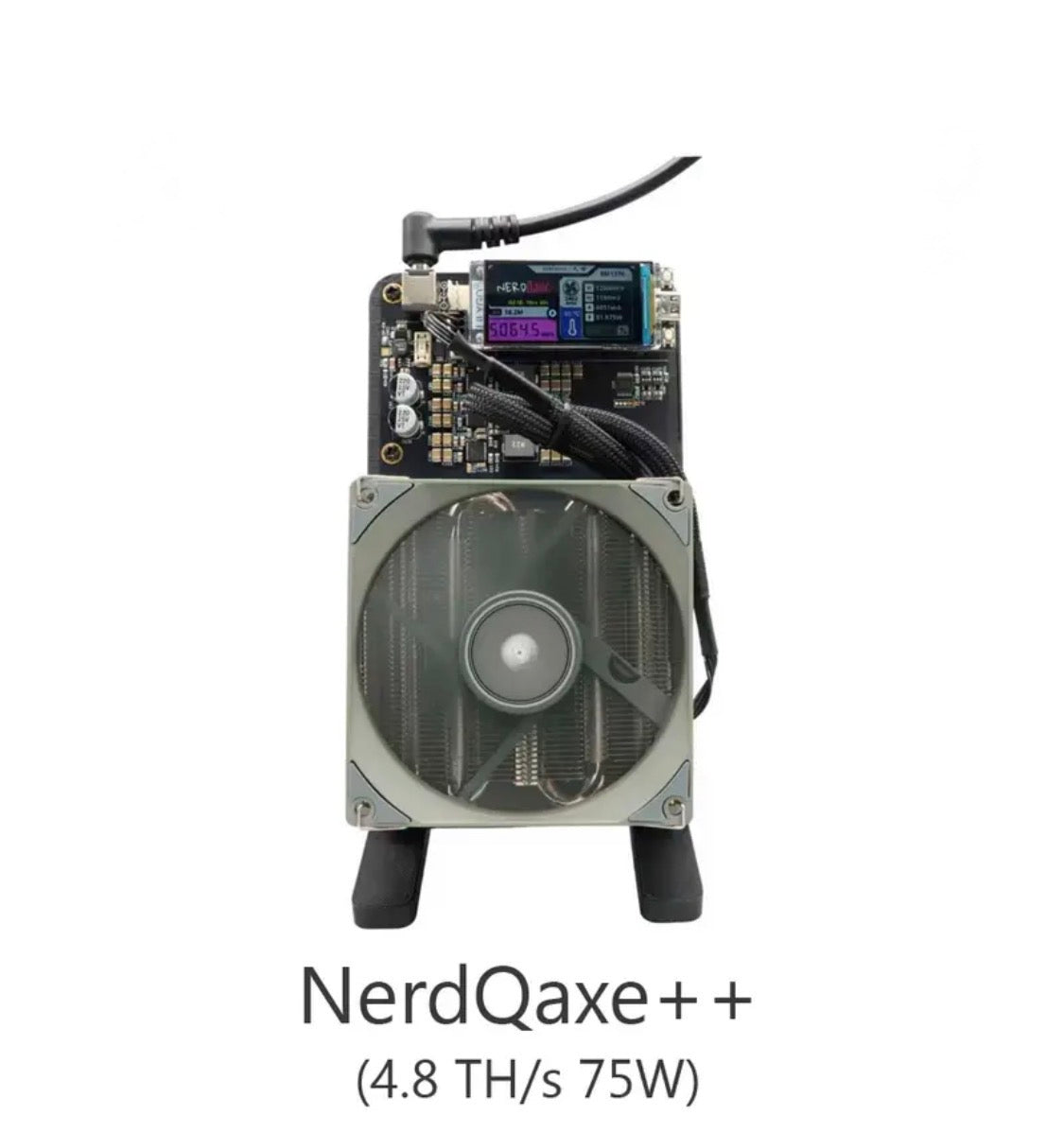
THE GABLES SERIES — NerdQaxe++ 4.8 TH/s
THE GABLES SERIES — NerdQaxe++ 4.8 TH/s
Couldn't load pickup availability
The NerdQaxe++ is where serious home mining begins. Powered by four BM1370 ASIC chips — the same chips found inside Bitmain's Antminer S21 Pro — it delivers 4.8 TH/s at default settings with an efficiency of approximately 15.6 J/TH. It draws just 75 watts, fits on any desk, and runs nearly silent.
The NerdQaxe++ runs NerdAxe firmware with a built-in TFT display showing live hashrate, ASIC temperature, pool connection, and best difficulty found. Browser-based dashboard via AxeOS gives you full control over frequency, voltage, and fan curves.
NerdQaxe++ units have found real Bitcoin blocks. Block 913,272 was found by a NerdQaxe++ in September 2025. This is not simulated mining — this is real SHA-256 hashing on the real Bitcoin network.
Specs:
ASIC Chip: 4x BM1370 (Antminer S21 Pro)
Hashrate: 4.8 TH/s (default) / up to 6+ TH/s overclocked
Power Consumption: ~75W (default) / ~103W overclocked
Efficiency: ~15.6 J/TH
Connectivity: 2.4 GHz Wi-Fi
Firmware: AxeOS / NerdAxe
Display: TFT color screen (real-time stats)
Power Input: 12V DC / min 8A (10A recommended)
SETUP GUIDE — NerdQaxe++
What You Need:
12V DC power supply (10A recommended, included)
2.4 GHz Wi-Fi network
Bitcoin on-chain wallet address
Computer or phone browser
Step 1 — Power On
Connect the 12V power supply. The TFT display will light up and show boot status.
Step 2 — Connect to Wi-Fi Hotspot
On your phone or computer, connect to the Wi-Fi network broadcast by the device — it will appear as "NerdQaxe" or "AxeOS".
Step 3 — Open Setup Page
In your browser go to: http://192.168.4.1
Step 4 — Enter Home Wi-Fi Credentials
Type your home Wi-Fi name and password. Save and allow the device to reboot.
Step 5 — Find Device on Your Network
After reboot, the TFT screen will display the local IP address. Type that IP into your browser (example: http://192.168.1.110).
Step 6 — Configure Mining Pool
In Settings, enter your pool:
Solo CKPool: solo.ckpool.org:3333
Public Pool: public-pool.io:21496
Ocean Mining (DATUM): Advanced users — requires own node
Step 7 — Enter Bitcoin Address
In the Stratum User field, enter your Bitcoin on-chain wallet address.
Step 8 — Save and Mine
Click Save. The device reboots and begins hashing. Your TFT screen will show live hashrate and share count.
Temperature Guidelines:
ASIC: Target under 65°C at stock. Under 60°C preferred.
VRM: Target under 55°C.
If temps exceed limits, reduce frequency or improve airflow.
Overclocking (Advanced):
In AxeOS Settings > Mining Settings, raise frequency in 25–50 MHz increments. Save after each change and monitor temps for 15 minutes before increasing further. Most NerdQaxe++ units run stable at 700–750 MHz.
Warranty & Shipping:
60-day warranty against manufacturing defects — we repair or replace, no hassle.
Orders ship within 3 business days.
30-day returns accepted on unused units in original condition.
Share